What I wanted
I wanted a base skill for my coding agents called /animation. Used on its own, it should take a detailed request and let the agent decide the framework, the workflow and the animation methods. Used as a base, other, more specific skills should inherit from it and fix some of those choices in advance.
Before writing a line of it I had to decide which frameworks it should use. I started from a list of ten: Blender, Godot, Three.js, Babylon.js, Panda3D, Bevy, Motion Canvas, Glaxnimate, StykAnimate and Stykz. The whole study, with every project, render and decision, is now public.
Repository on GitHub ↗Forgejo (canonical) ↗Codeberg mirror ↗
What an agent needs from a framework
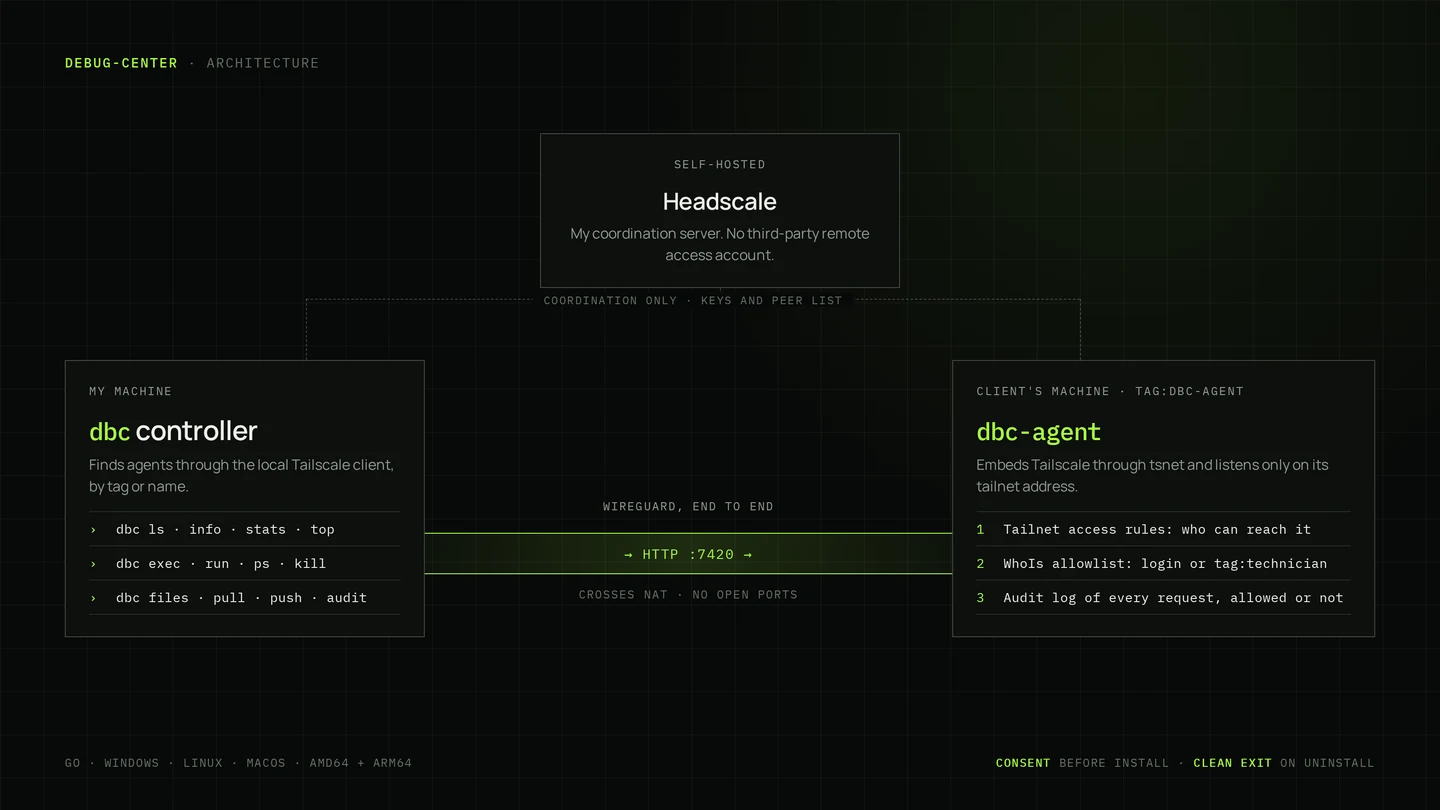
An agent works through text and a shell, so features and image quality come second. A framework is only usable if it gives the agent four things: scenes as plain text it can write and diff, a render that runs from one command with no window, frames that come out the same on every run, and single-frame renders it can open and inspect.
Four frameworks passed. Blender for 3D video where image quality matters, Godot for action and game feel, Three.js for 3D on the web, and Motion Canvas for programmed 2D video. The rest went for concrete reasons: Babylon.js overlaps Three.js, which models know better; Panda3D is dated; Bevy changes its API every release and Rust compile times slow the edit, render, check loop; Glaxnimate is a niche vector tool; Stykz is an unmaintained GUI from around 2011.
Motion Canvas came with a catch. Its last npm release is 3.17.2 from December 2024 and it renders only through its browser editor. Revideo is a maintained MIT fork with the same scene model and a headless renderVideo(), so the route keeps Motion Canvas as the way scenes are written and renders them with Revideo.
StykAnimate, the one I wanted to keep
StykAnimate first looked like it did not exist: searches only found Stykz. It turned out to be a six-week-old, GPL-3.0 stick-figure studio for Windows, Linux and the browser, with IK posing, a layered timeline with easing, camera follow, particle effects and MP4 export. For stick fights it is the strongest dedicated tool on the list.
Reading its source settled it. There is no command line, no scripting API and no headless export; every export goes through a dialog. Only the file container is documented, not the JSON inside it. An agent could write a project for a person to finish, but it could not deliver a video on its own, so I dropped it. It is worth revisiting if it ever gains a headless render.
The skill: plan, block, look, polish, render
The skill turns a request into a brief and a timed beat sheet, picks a route and methods, sets up a project with one render command per kind of output, blocks every beat in, looks, polishes, and renders. Every step ends on a checkable done-when line, so the agent cannot drift into calling something finished.
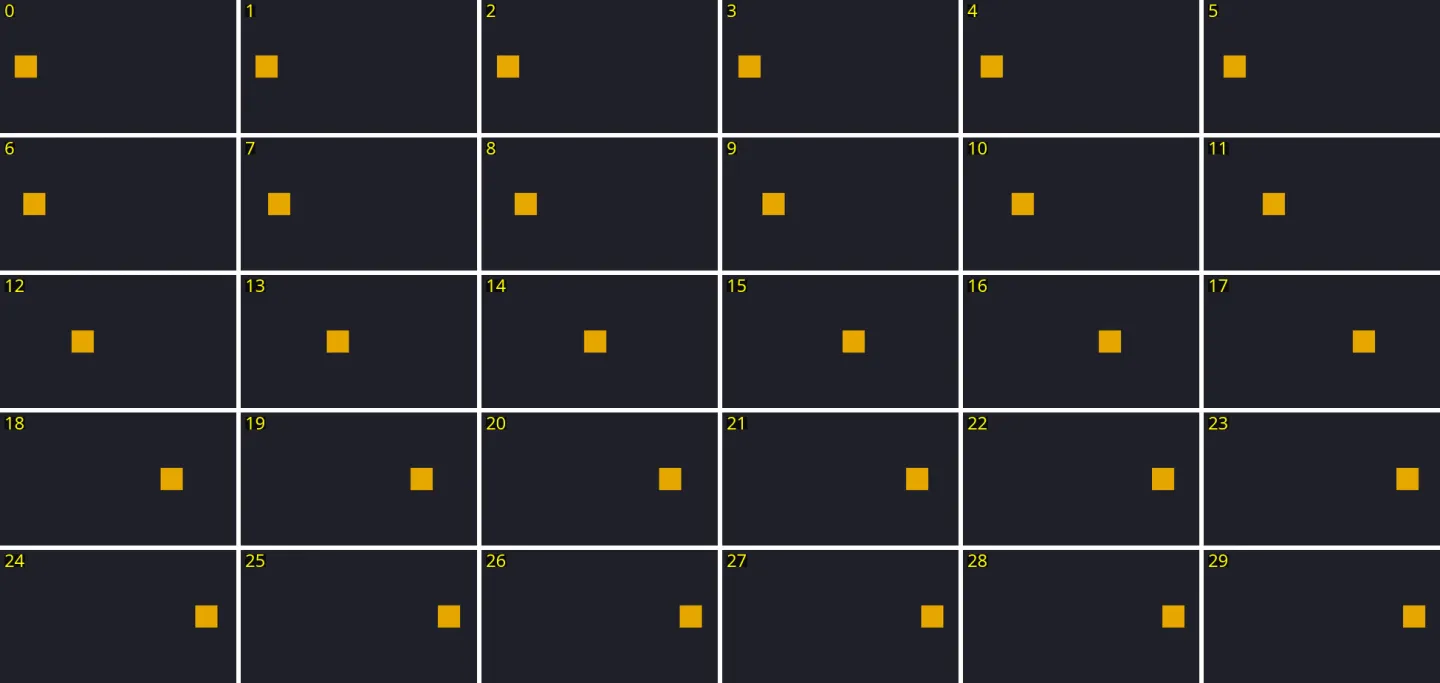
The step that makes it work is Look. An agent cannot watch a video; it only sees frames it renders and opens. So it renders a still for every beat and tiles fast actions into contact sheets with the frame number burned into each tile, then checks each image against the beat sheet: does the action read, is anything cut off, does the spacing change smoothly, does the camera show what the beat is about.
Child skills extend the base through slots: route, brief defaults, methods, style, assets, checks, deliverable and extra steps. A stick-fight skill, for example, can pin the route and ship a starter rig while reusing the whole loop.
Making the guides true
The first route guides came from documentation. Then I had the agent install Blender 5.2.2 and Godot 4.7.2 and run every guide exactly as written. Every route rendered, and every one of them corrected its guide.
- Blender 5.x removed Action.fcurves; keyframe curves now live in a channelbag per action slot.
- Godot’s --headless flag uses a dummy renderer, so Movie Maker records nothing; it needs a display or Xvfb.
- Headless Chromium renders WebGL in software by default; --use-angle=vulkan --enable-gpu moves it to the GPU and stays headless.
- Revideo’s project creator is interactive, npm 11 holds back the install scripts it needs, and its render script must avoid top-level await.
Toolchain and smoke tests ↗Godot Movie Maker ↗Blender 5.0 API changes ↗
One scene per framework
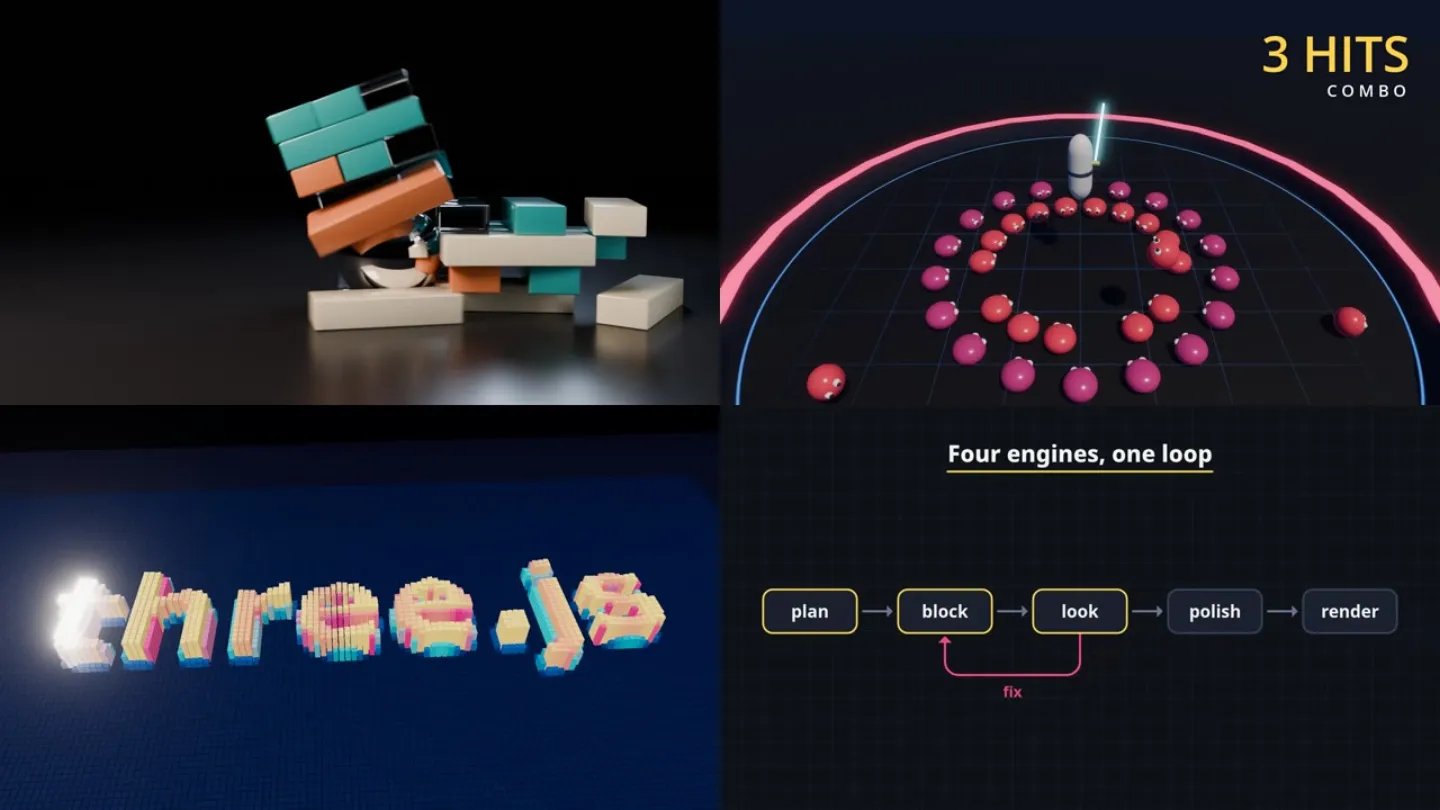
Next I asked for one short scene per framework, each built around what that framework does best rather than one shared subject. Blender got a chrome ball smashing a tower of glass and ceramic blocks, path-traced with a baked rigid-body simulation. Godot got a hero slamming 36 physics-driven slimes, with hit-stop, shake and particles. Three.js got 14,400 instanced cubes rising into a word. Motion Canvas got a self-drawing diagram of the skill’s loop and a chart of what each scene cost to render.
The cost spread is the useful number. On my GTX 745, Cycles took about 40 seconds per 1080p frame, Godot about 0.33, the Three.js capture 0.08 and Revideo 0.024. Long Cycles renders belong in the background while the agent works on something else, which is how that showcase was produced.
2D without a new framework
Then I asked which framework to use for 2D. The answer was none of the new ones. Motion Canvas already covers clean vector work and Godot covers 2D game feel; the only gap was a hand-drawn look, and Blender’s Grease Pencil covers that without a new install. Synfig, Spine, Rive, Manim and Remotion either overlap those routes or are driven from an editor.
To prove the split, the agent made the same stick-figure fight three times from one choreography file: ink on paper with boiling lines in Grease Pencil, flat vector motion graphics in Motion Canvas, and a fighting-game layer with health bars and glow in Godot. Grease Pencil’s Python API was rewritten in Blender 4.3, and one detail took several probes to find: in 5.x a stroke is filled when its fill_id is non-zero, not when the material says so.
Warrior vs Dragon: bake once, draw twice
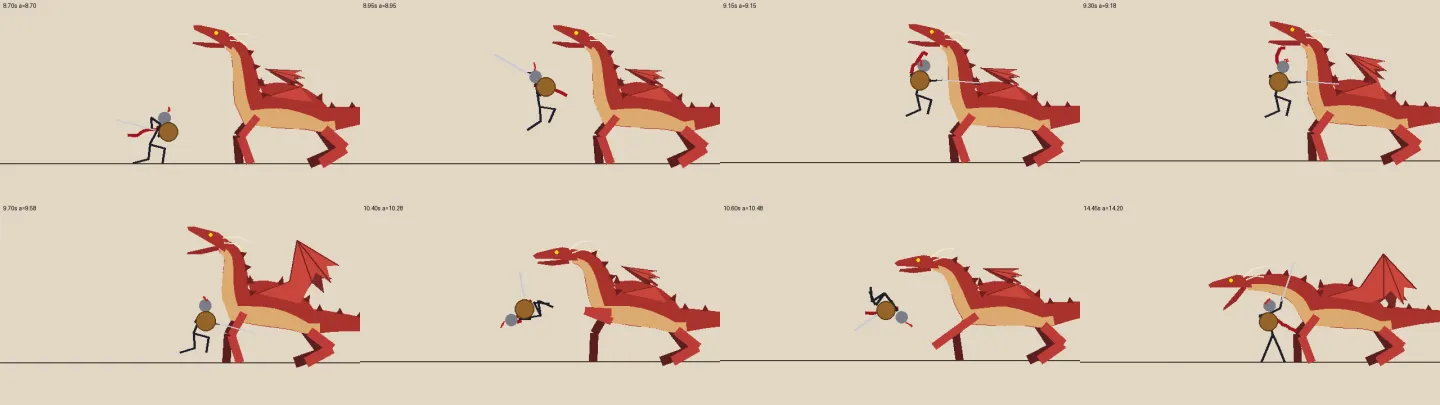
The last request was a 20-second fight: a stick-figure warrior with a helmet, cape, sword and shield against a dragon, once in Godot 2D and once in Motion Canvas. The dragon lands, roars and breathes fire into the shield; the warrior slashes its neck, backflips over a claw, gets knocked into a roll, knee-slides under a fire blast and finishes it with a plunging strike.
The 2D study had ported the pose maths to each engine. This time one Python file evaluates everything once: keyframe tracks, two-bone IK, a procedural dragon whose wings come from just a spread and a flap value, Verlet chains for the cape and plume, hit-stops as frozen action time, and the camera. It writes every frame’s shapes to a JSON file. Godot and Motion Canvas contain no animation logic; they only draw those shapes in their own style, so the two videos match pose for pose.
The same data drives a quick Pillow preview that renders any moment in about a second. The choreography was blocked and fixed there before either engine was involved.
What the frames caught
Every scene in the study was corrected through the Look step, and the fixes were found by measuring rather than guessing. When the fire breath looked wrong, the agent computed the stream’s angle against the shield from the baked data: 25 degrees down where 14 were needed. When a grey haze appeared in Godot, it measured the brightness of one corner frame by frame and traced it to linear-light blending under HDR.
- A ball written for a 1920-wide canvas sat off-screen on a 640-wide one.
- A leap ran straight through the dragon’s head; the dragon now rears to strike, exposing its neck.
- Wings stood up like sails when the dragon was hurt; they now droop and fall to the ground.
- Godot logged 2,592 failed polygon triangulations until every shape became an area-checked triangle.
- Four hit-stops pushed the victory into the last frames, so the ending was retimed.
Limits and next steps
The timings come from one machine, a GTX 745 with an i7-4790S, often with several renders sharing it, so read them as relative. Every clip is silent. The agent did the building and rendering; my part was the direction and the decisions, and the skill turns checking the result into a step the agent cannot skip.
The repository’s roadmap lists the open directions: child skills that extend /animation through its slots, sound timed to the beat sheet, and turning the bake approach into a small reusable library. Everything needed to re-render the study is in the repository.